Skip to content
Get LogBook — $45
Desktop app for Windows

The daily hub for freelance creatives

Built for motion and 3D — and for any freelance creative juggling briefs, references, deadlines and admin alone. Everything about a project, in one window on your own machine.

I want this $45

Launch price · One-time payment · Perpetual license

See it in action ↓
  • Runs fully offline
  • No account, no cloud
  • Free 1.x updates

Your project lives in ten different places

The brief in your inbox. The quote in some folder. References in another app. Project files somewhere on Dropbox. Every time you pick that job back up, you rebuild the whole picture from scratch.

LogBook keeps it attached to the project it belongs to.

01 — Projects

The project as a container

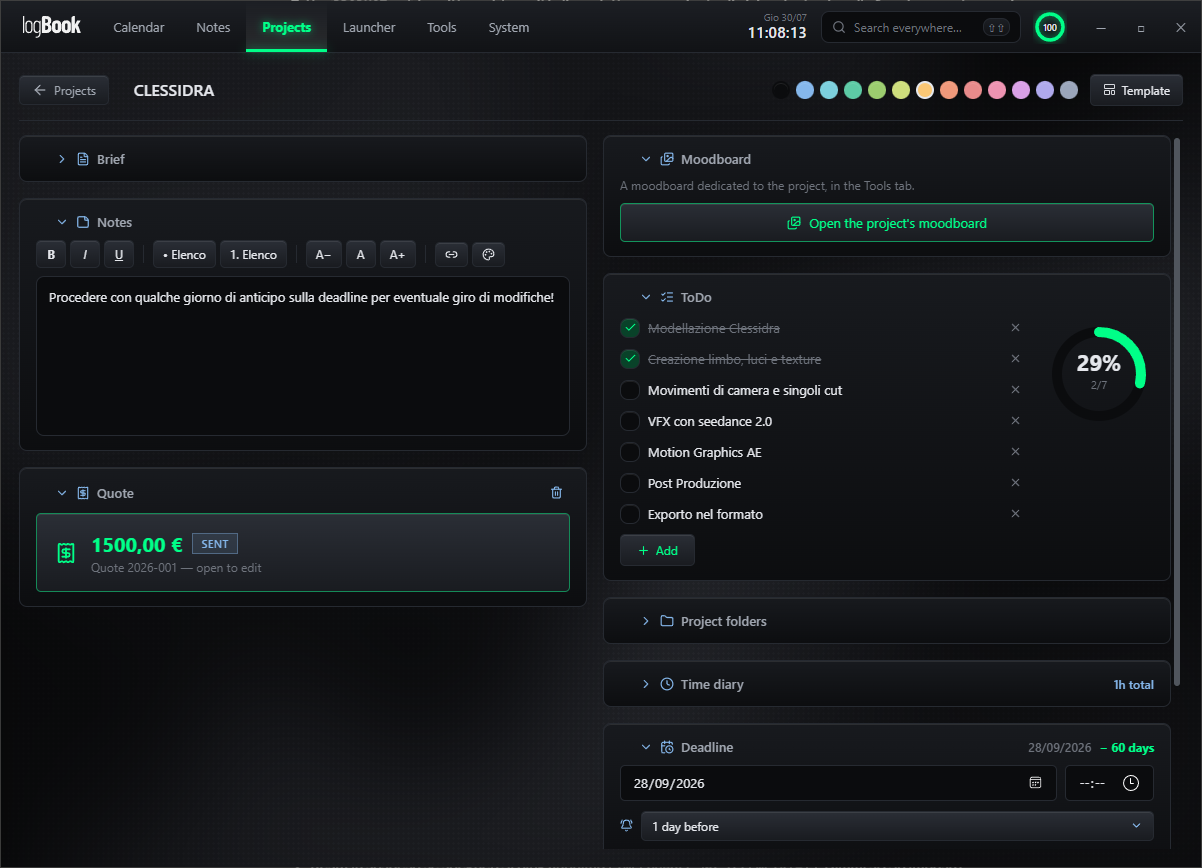
Each project holds the brief, client documents, quote, moodboard, working folders, checklists and deadlines in one place. One click and everything for that job is in front of you.

02 — Moodboard

A moodboard on top of your viewport

References stay visible above Cinema 4D, After Effects or Blender while you work — and they belong to the project, not to a separate file you have to go find. Drag & drop images, sticky notes, shapes, video, palette extraction, PDF export.

Overlay mode

The reference, right on top of the shot

Pin a reference over Cinema 4D, After Effects or Blender, set the opacity you need and keep clicking straight through it into the app. Drag the handle to compare the two extremes.
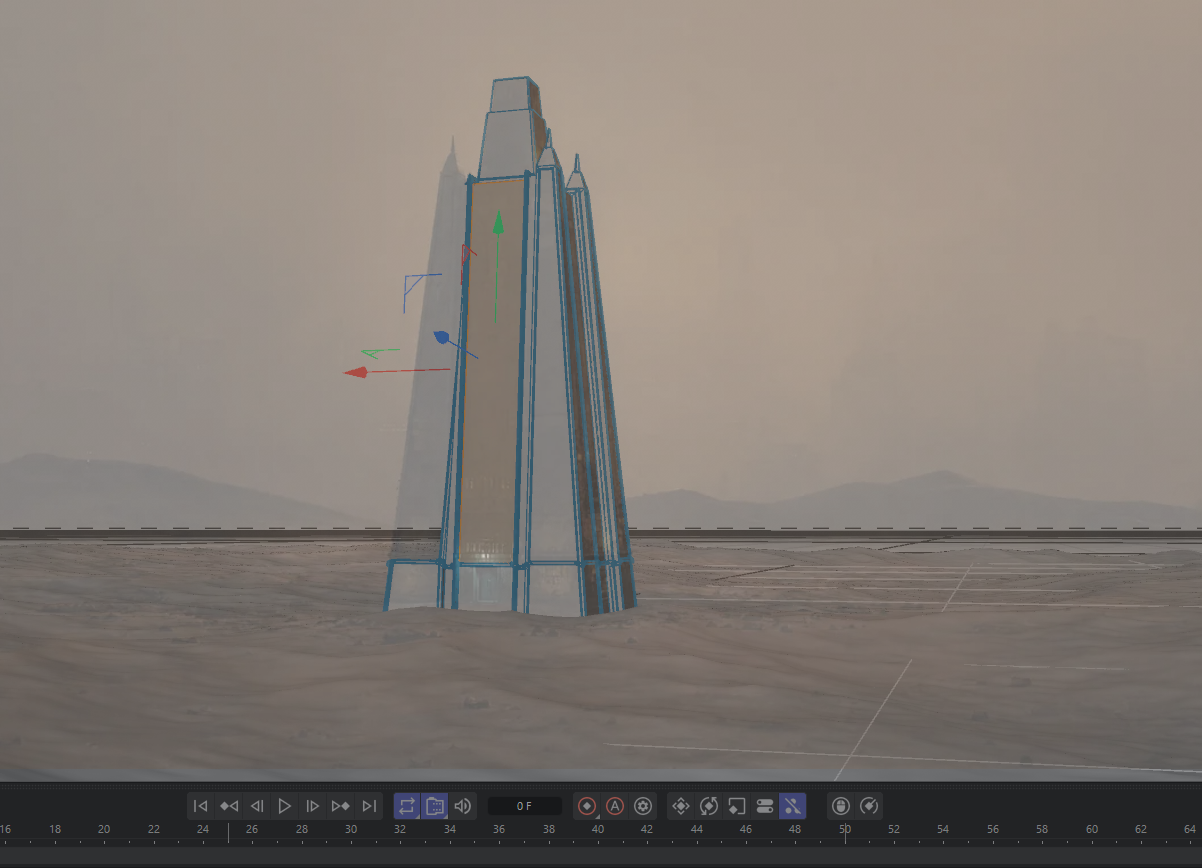
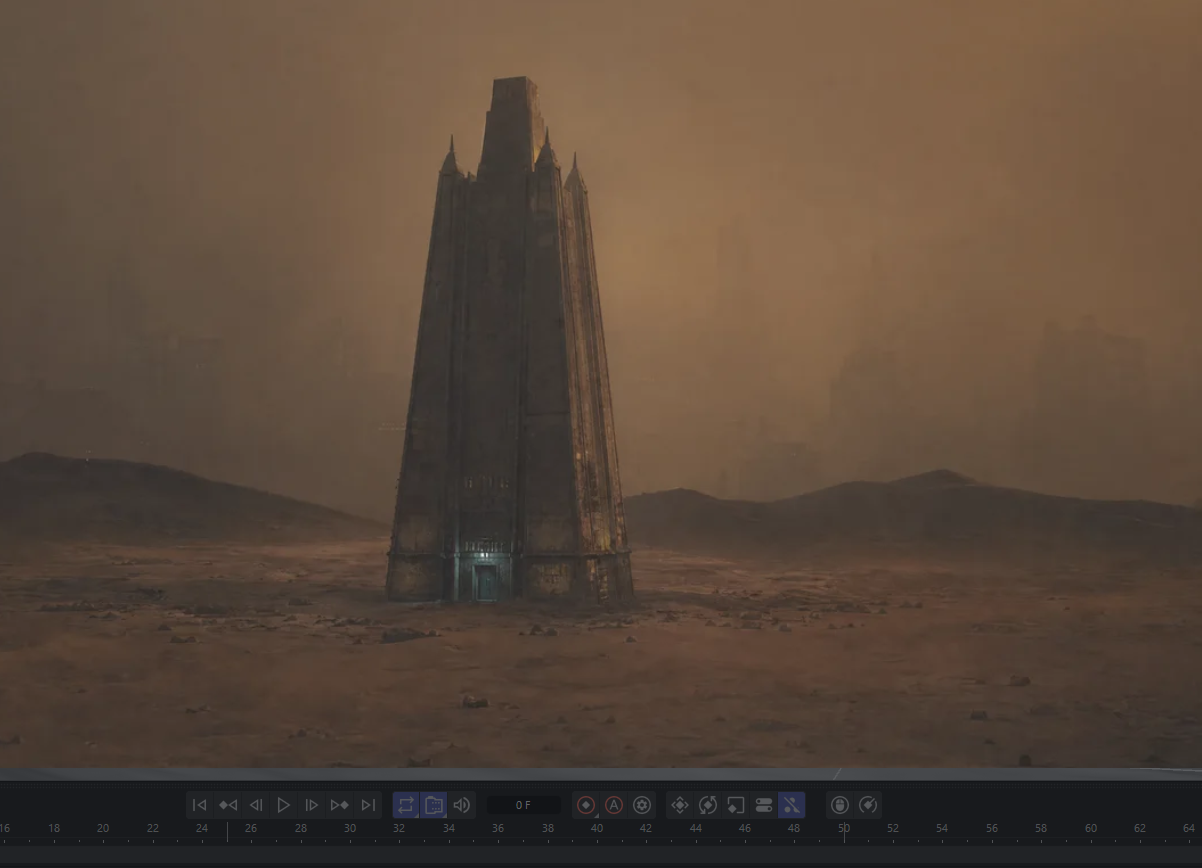
The reference held at full opacity over the 3D viewport The same reference at low opacity, with clicks passing through to the app Low opacity · click-through Full opacity
The same Cinema 4D viewport, with the moodboard image held on top by logBook — opaque enough to match, or faint enough to keep working under it.

A look inside

Ten areas, no tour guide needed

Real screenshots from the app, running on Windows.
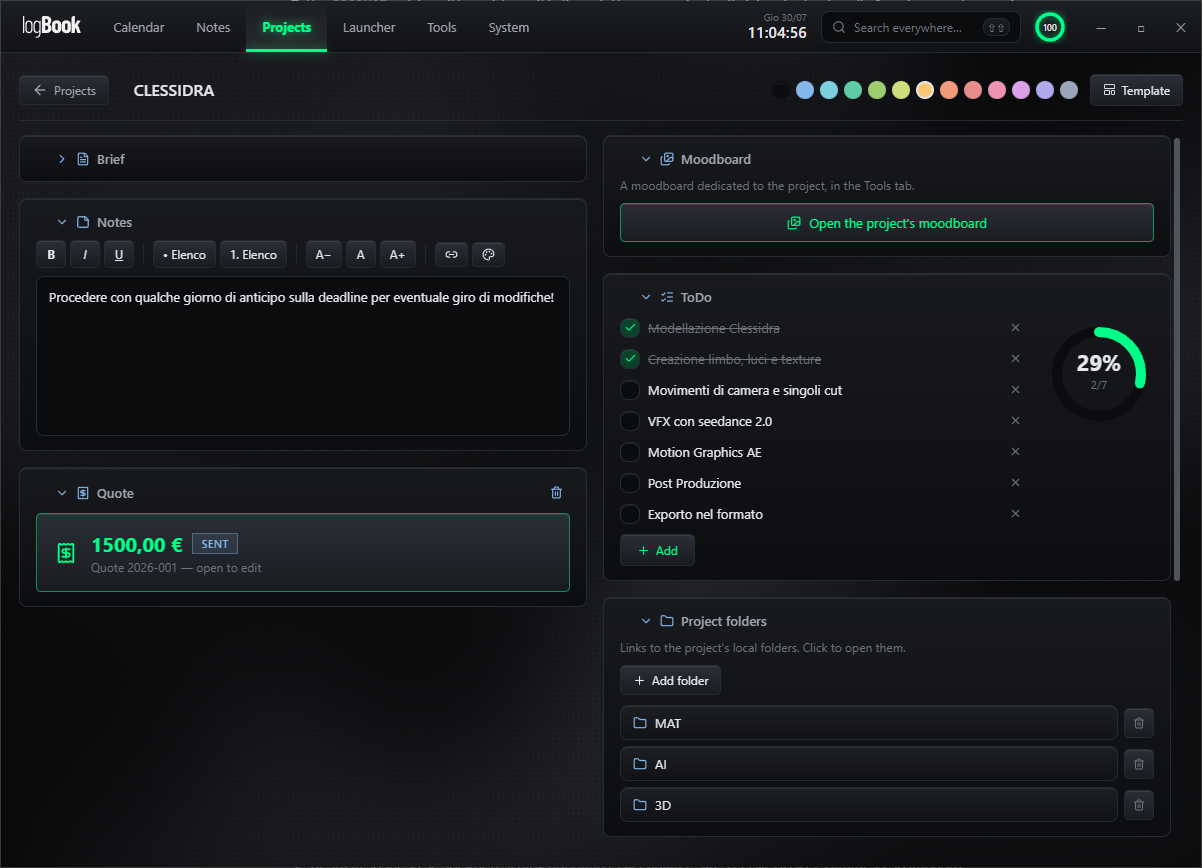
logBook — Projects
Projects. Brief, notes, quote, moodboard, folders, to-do list and time diary — one screen per job, so picking a project back up takes a click instead of ten.
logBook — Deadlines
Deadlines. Each project carries its own deadline and reminder. The countdown sits next to the work, not in a separate calendar you forget to open.
logBook — Calendar logBook — Calendar
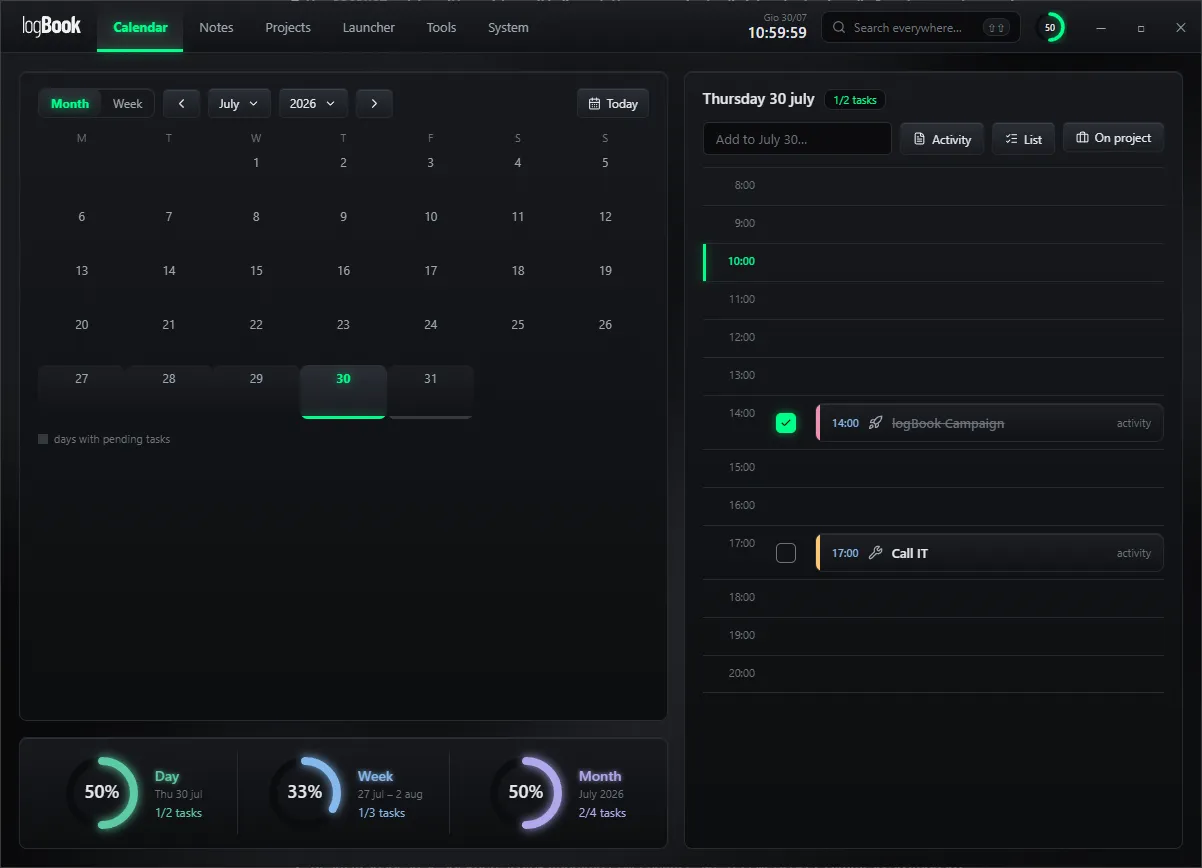
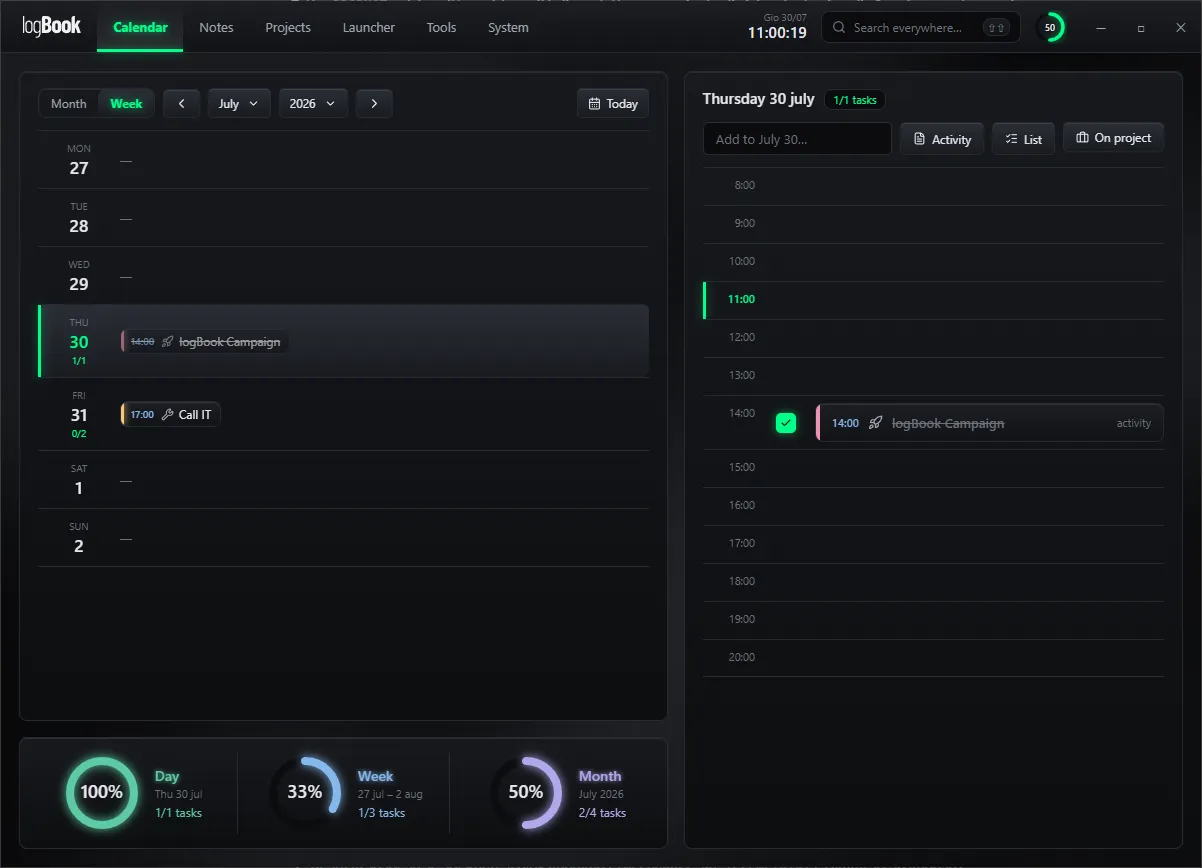
Calendar. Month and week views, with the day laid out hour by hour on the right. Completion rings for day, week and month tell you where you actually stand.
logBook — Notes logBook — Notes
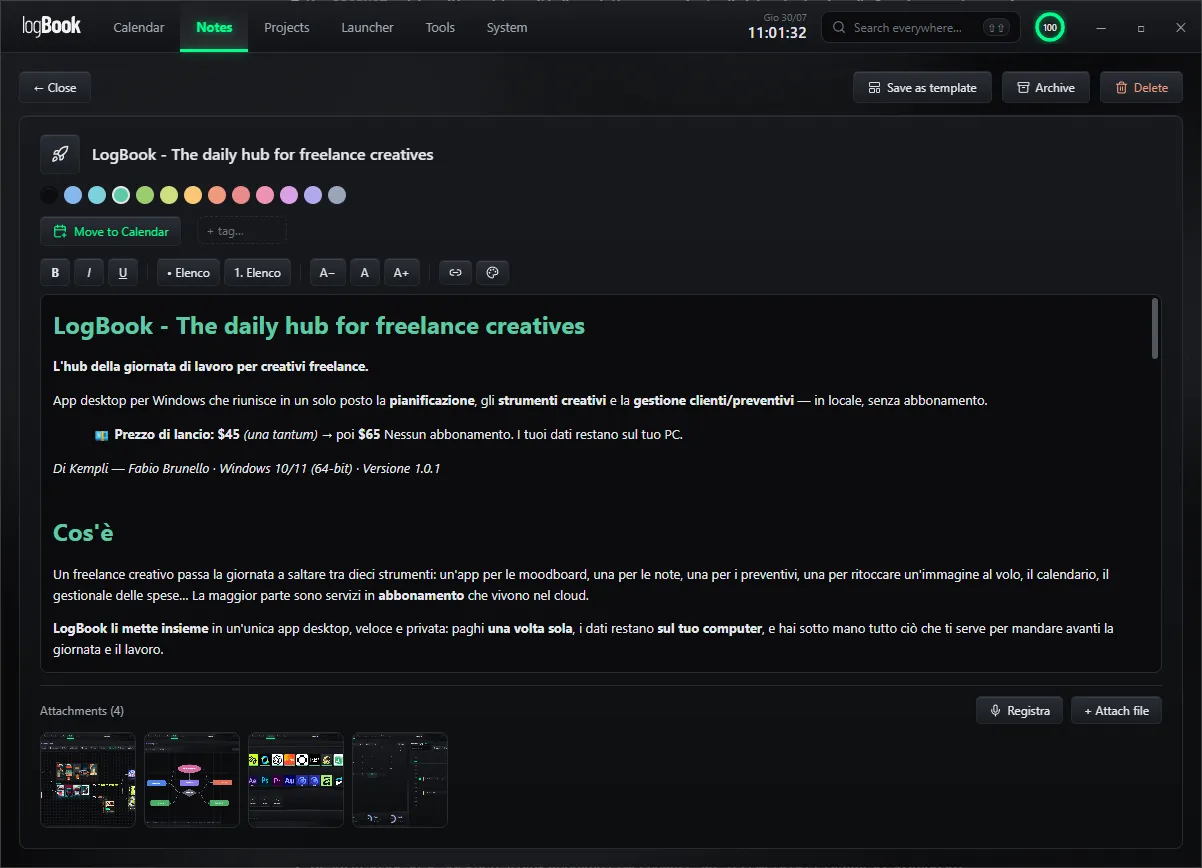
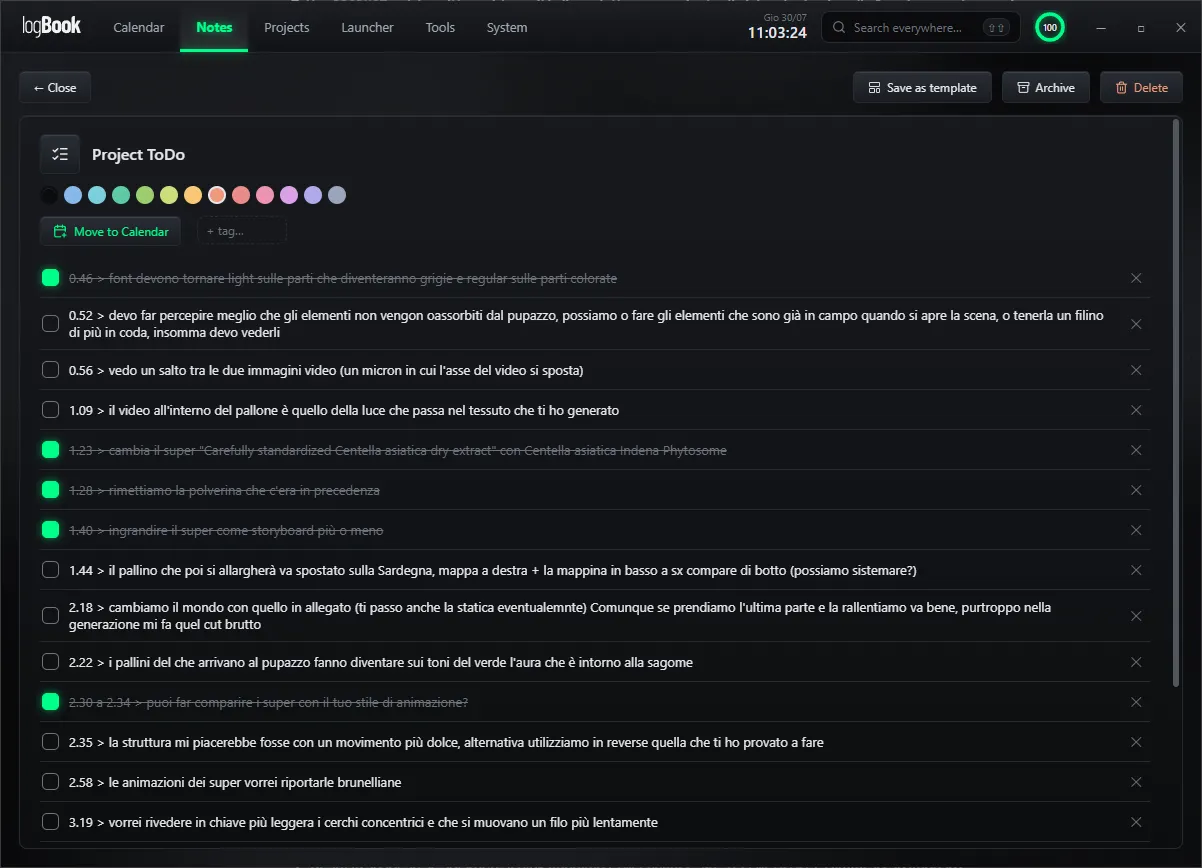
Notes. Rich text with colours, tags and attachments, or a checklist for a round of client feedback — timecode by timecode. Record a voice memo straight into a note while the call is still going. Any note can be turned into a template or moved to the calendar.
logBook — Moodboard
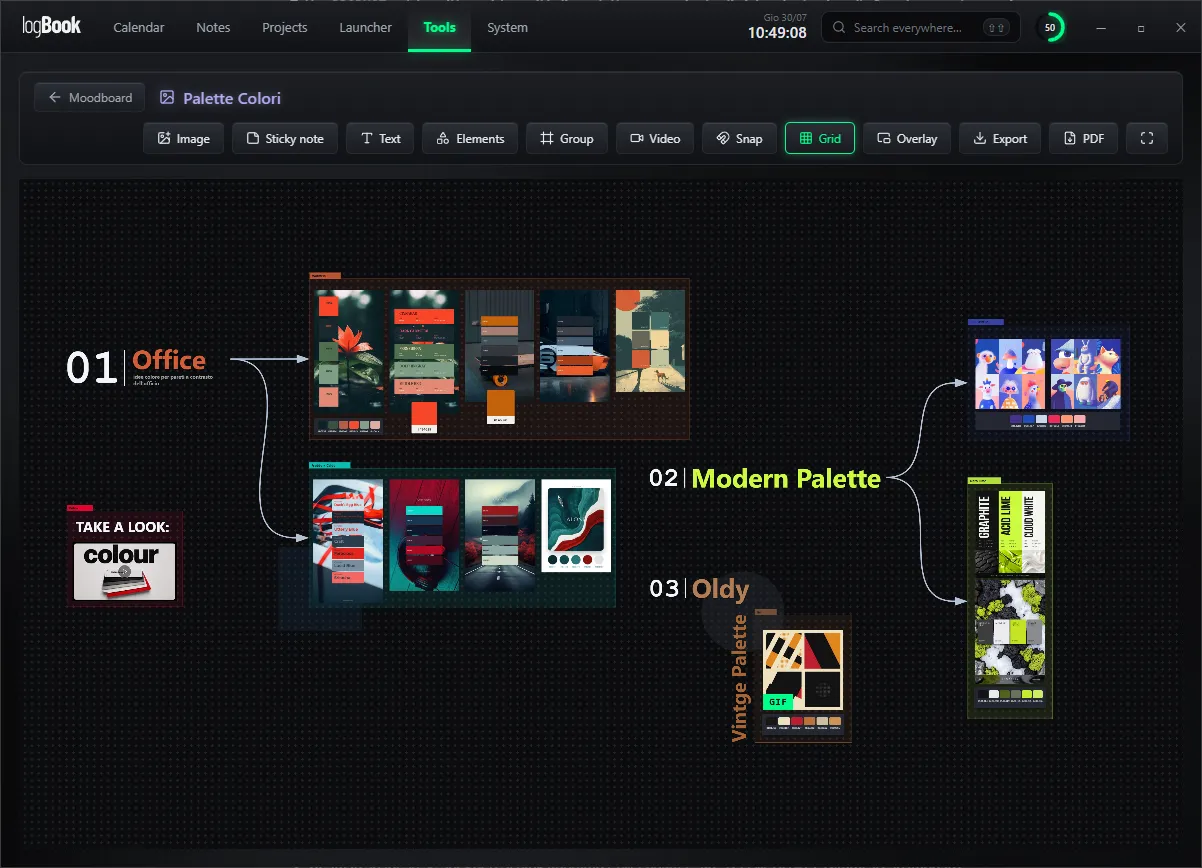
Moodboard. An infinite board for images, sticky notes, text and shapes, with grid snapping — plus video: drop an MP4 straight onto the board or paste a link. It belongs to the project, opens as an overlay on top of your 3D or compositing app, and exports to PNG or PDF.
logBook — Tools
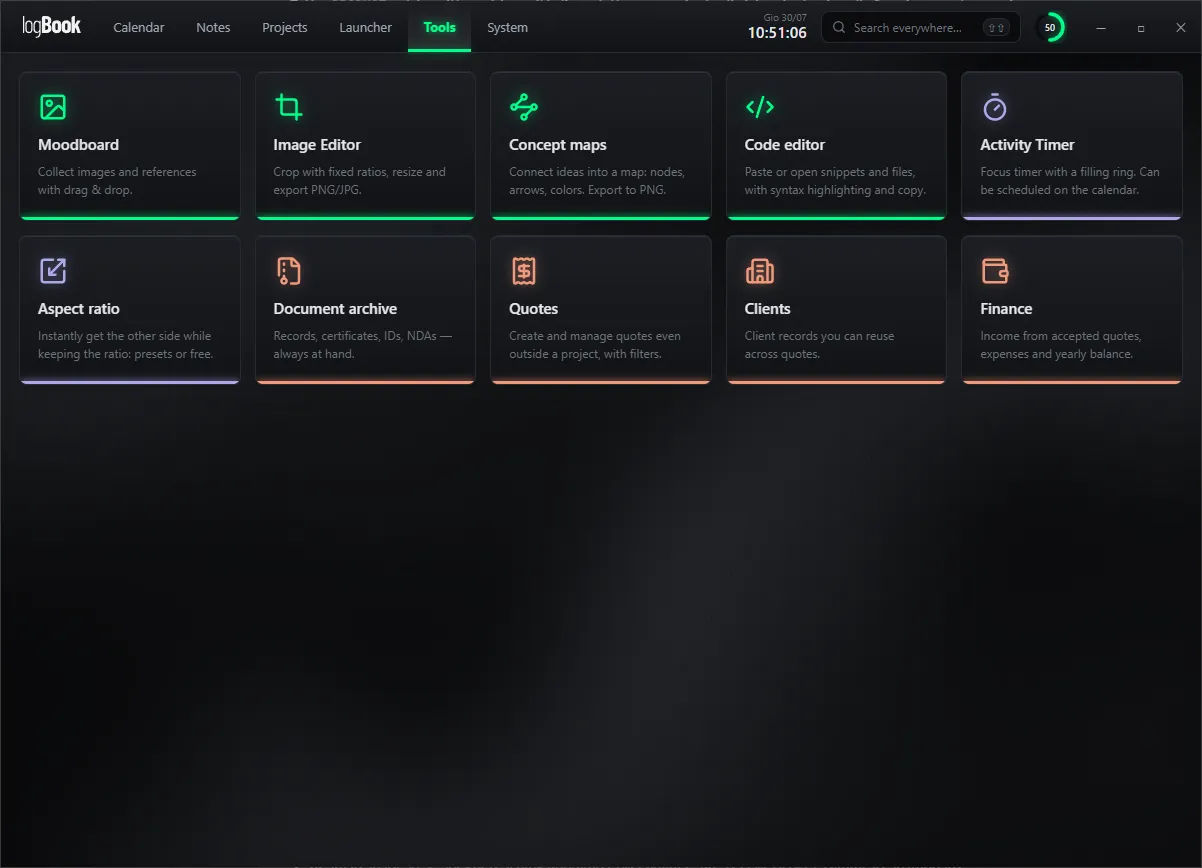
Tools. Ten small tools in one place: moodboard, image editor, concept maps, code editor, activity timer, aspect ratio, document archive, quotes, clients and finance.
logBook — Concept maps
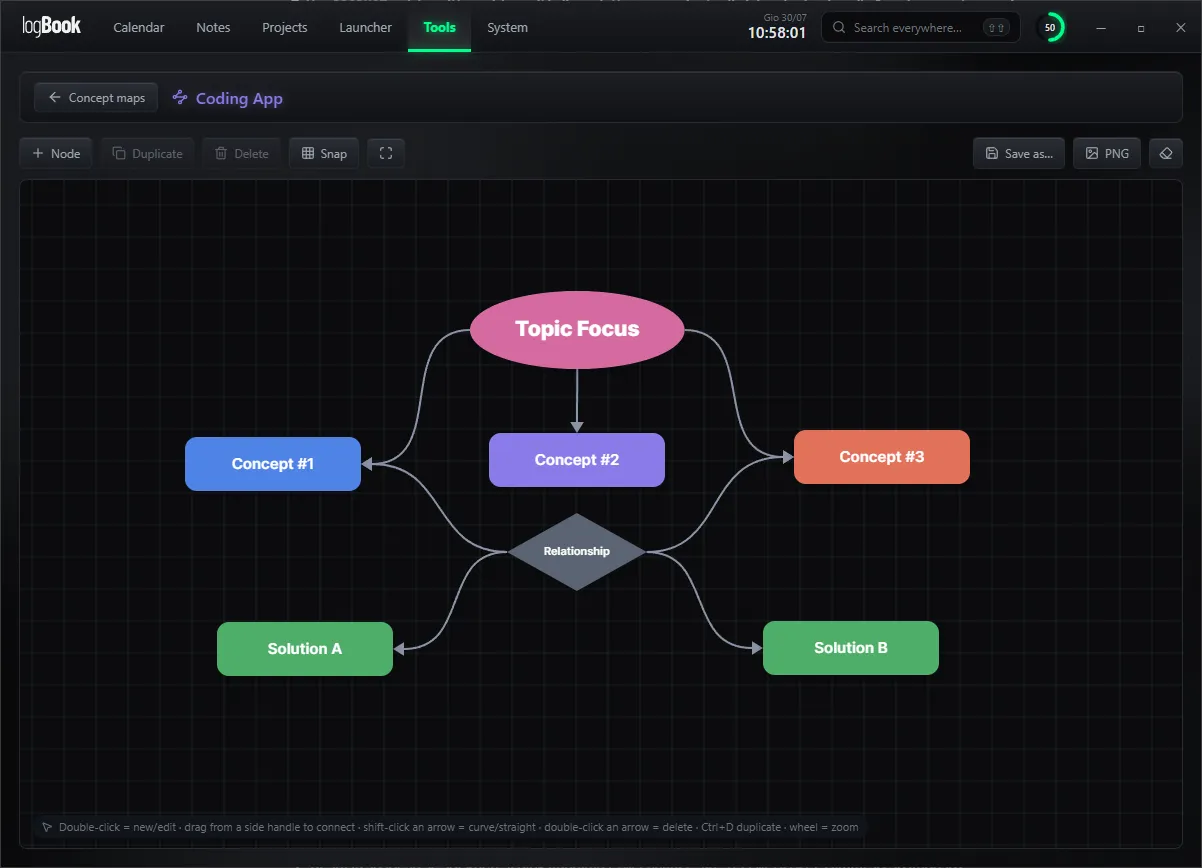
Concept maps. Nodes, arrows and colours for thinking a job through before you open the 3D app. Export the map to PNG when it needs to go in a deck.
logBook — Image editor logBook — Image editor
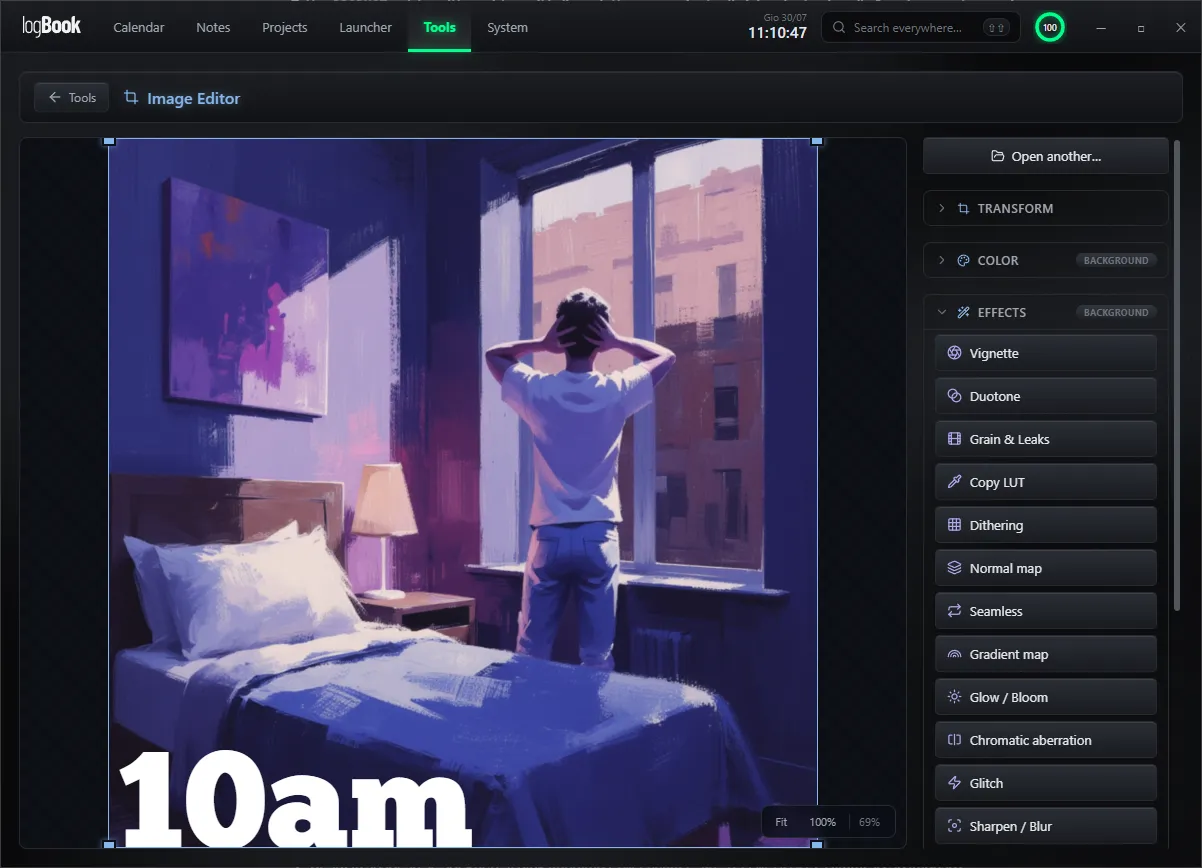
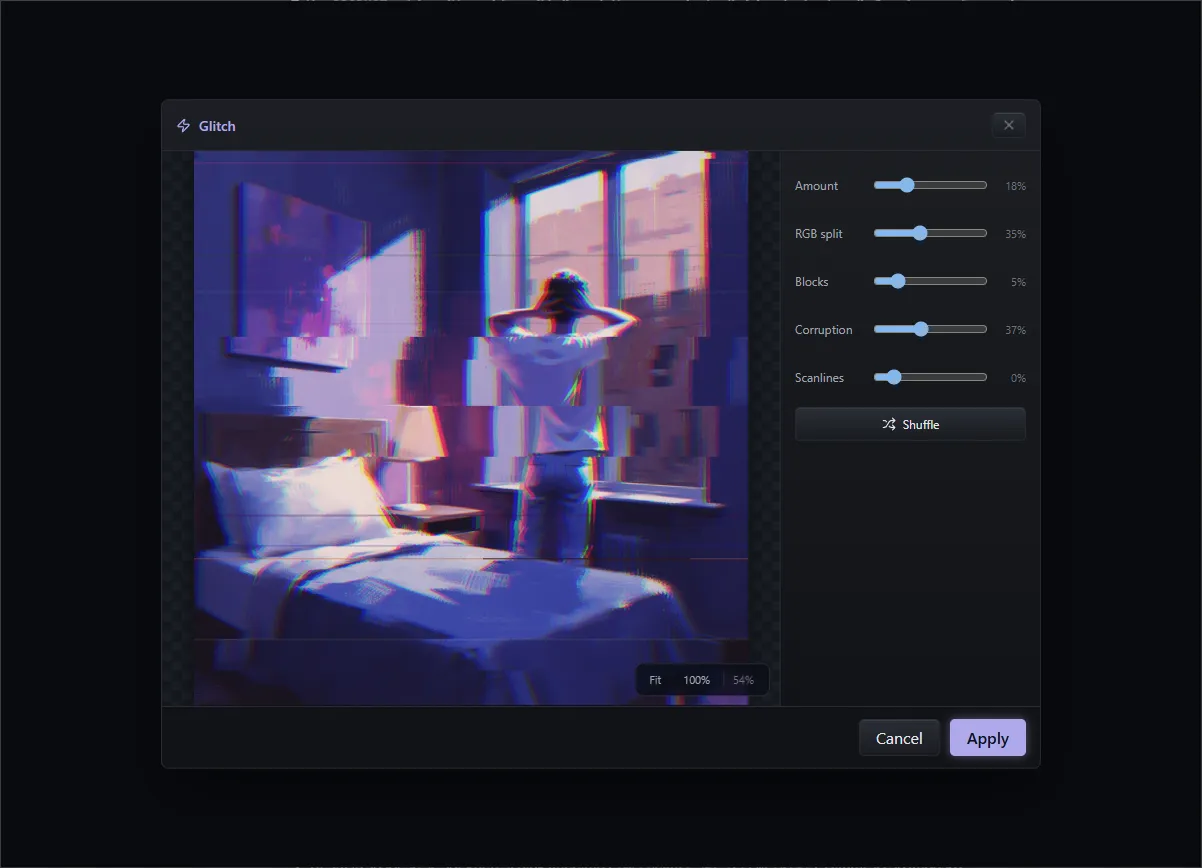
Image editor. Crop with fixed ratios, resize, and a set of effects — duotone, grain, LUT copy, normal map, glow, chromatic aberration, glitch. Enough to fix or rough up a reference without leaving the app.
logBook — Launcher
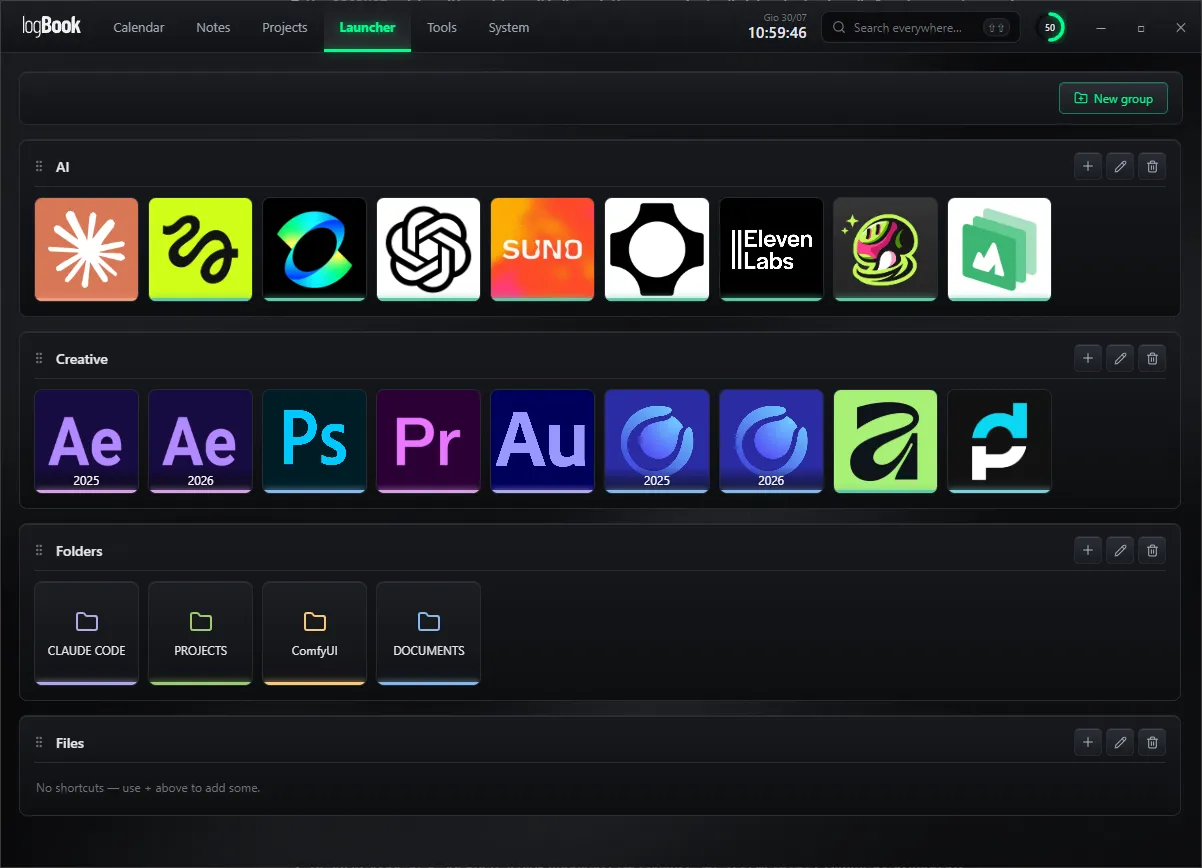
Launcher. Your apps, folders and files in groups you decide. One place to start the working day from.
logBook — Themes
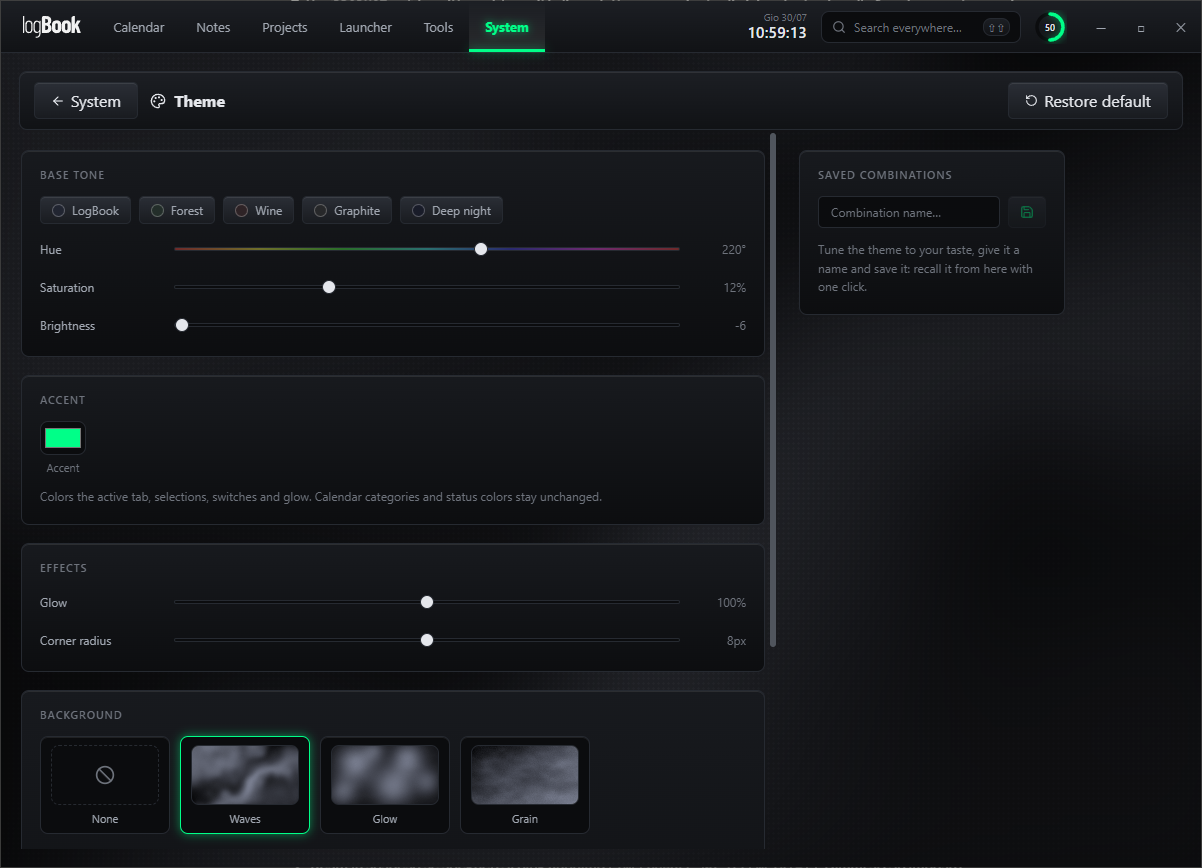
Themes. Base tone, hue, saturation, accent, glow, corner radius and background texture — save your combinations and recall them with one click.

And around it, what you actually need

  • Calendar & notes

    Reminders, notes, lists and an activity timer, all tied to the work in front of you.

  • Launcher

    Open the project's apps, folders and links from one place, without hunting through the disk.

  • Light admin

    Quotes, clients, income and expenses — enough to run a one-person studio, no more.

  • Small tools

    Crop and rotate, LUTs, aspect ratio calculator, mind maps, code editor. So you don't leave your flow.

All local · Custom themes · Built-in backup

What LogBook is not

Better said upfront.

  • Not accounting software. The admin section is built for a solo freelancer — no e-invoicing, no integration with your accountant.
  • Not an asset manager. No tagged library of thousands of files.
  • No cloud, no collaboration. It is single-user, by design, and runs entirely on your machine.
  • The small tools are minimal. They don't replace Photoshop or a real IDE — they're there so you don't have to switch.
Launch price
$45 $65

One-time payment, perpetual license. No subscription, ever. Buy now and you keep the launch price for good.

Get LogBook

Instant download · Windows 10 or later

Updates
Every 1.x update is included: fixes, improvements and new features within the existing modules. No extra cost, no expiry. A future 2.0 — an architectural change or an entirely new module — will be a paid upgrade at a reduced price for existing owners, and free for anyone who buys within 90 days of its release.
License
Personal use, up to 2 machines (desktop and laptop). Release an activation from one machine and move it to another, directly inside the app. Studio or agency? Write to hello@kempli.com for the multi-seat license.
Requirements
Windows 10 or later, Windows only — no Mac (soon…), Linux or mobile version. Runs entirely on your machine: no account, no cloud, no sync across devices.
A note on installing
LogBook is not code-signed yet. On first launch Windows shows a SmartScreen warning and lists the publisher as unknown — normal for independent software. Click “More info”, then “Run anyway”. Code signing is planned as the project grows.

Built by Fabio Brunello — Kempli

Freelance motion designer. I built LogBook because I needed it, and I use it every day on client work.